
Projector & Screen Solutions
Expert projector selection, screen installation, and image optimization — plus strategic ambient light control for a stunning picture in any room, day or night.
A projector-based home theater delivers a cinematic experience that no flat-panel TV can match: 100″, 120″, or larger images that fill your field of view and make movies feel like movies. But getting the most out of a projector requires more than mounting it to the ceiling — it means choosing the right lens for your throw distance, selecting a screen material that suits your ambient light conditions, and tuning the image settings for your specific room.
TekScene handles every aspect of projector and screen installation, from an initial site assessment through final picture optimization. We carry a curated selection of the industry's leading projector brands — JVC D-ILA, Epson 3LCD, and others — paired with premium screens from Stewart Filmscreen and Screen Innovations. Whether you're building a light-controlled dedicated theater or installing a projector in a bright living room, we'll match you with the right combination of projector, screen, and light management solution.
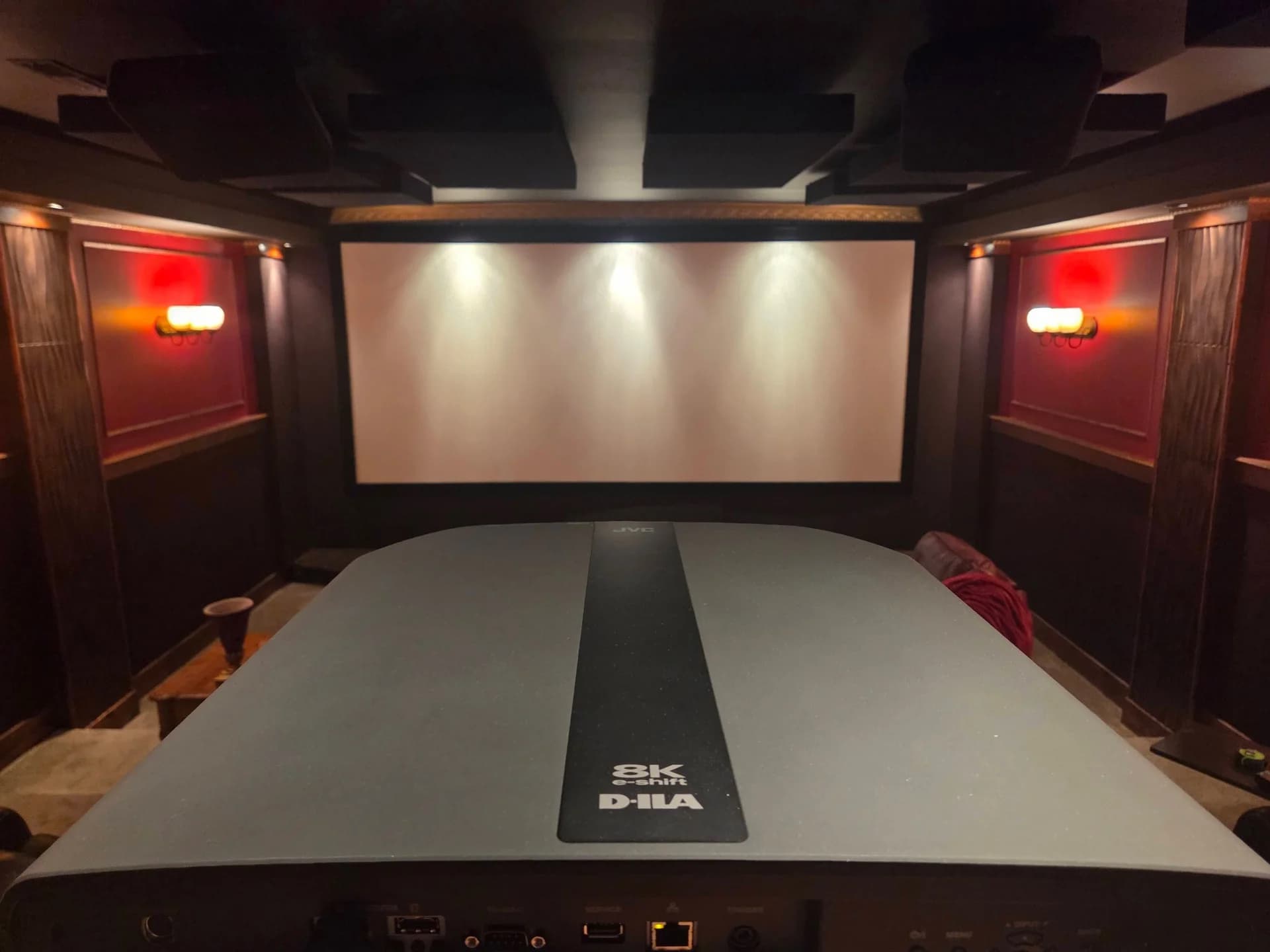
What We Do
Projector Selection & Installation
We assess your room dimensions, throw distance, ambient light levels, and budget to recommend the right projector. Installation includes structural ceiling mounting, power and HDMI routing, precise lens alignment, and zoom/focus/shift configuration.
Screen Solutions & Mounting
Custom screen selection from fixed-frame to motorized options, with precision installation for the best viewing experience. We match screen size, aspect ratio, and gain to your projector and room geometry — then tension and align the fabric perfectly.
Screen Fabric & Material Consultation
Not all projection surfaces are the same. We guide you through the options — matte white, gray, ambient-light-rejecting, acoustically transparent — based on your viewing environment, projector brightness, and image quality priorities.
Ambient Light Control
Strategic lighting design and window treatment recommendations to eliminate glare and create optimal viewing conditions. For rooms that can't be fully darkened, we recommend ambient-light-rejecting (ALR) screen solutions paired with appropriate projector brightness.
Image Optimization
Factory settings are never optimal. We go through the projector's picture controls — color, gamma, white balance, HDR tone mapping — and tune them for your specific screen and room conditions. For clients who want a full meter-based calibration, we can coordinate with a certified ISF calibrator.
Video Processing Integration
For demanding setups, we integrate madVR Envy or Lumagen Radiance Pro video processors between your source and projector. These devices handle HDR tone mapping, scaling, and frame interpolation at a level no projector's built-in processing can match.
Why Homeowners Choose TekScene
- Site assessment before any recommendation — We visit your space, measure the room, assess the lighting, and evaluate your throw geometry before suggesting a projector or screen. The right equipment for your room isn't always the most expensive — or the most popular.
- Professional installation means precise alignment — A misaligned projector or improperly tensioned screen wastes the potential of even the best equipment. We get the geometry right, run cables cleanly, and leave nothing to chance.
- We optimize, not just plug in — We go through your projector's picture controls and tune them for your room and screen — color, gamma, white balance, HDR settings. It goes well beyond factory defaults without overpromising what a certified calibration would deliver.
- Local service and support in the Columbia, SC area — Based in Chapin, SC, we're close enough for follow-up visits, firmware assistance, and settings adjustments whenever you need them.
Recent Work
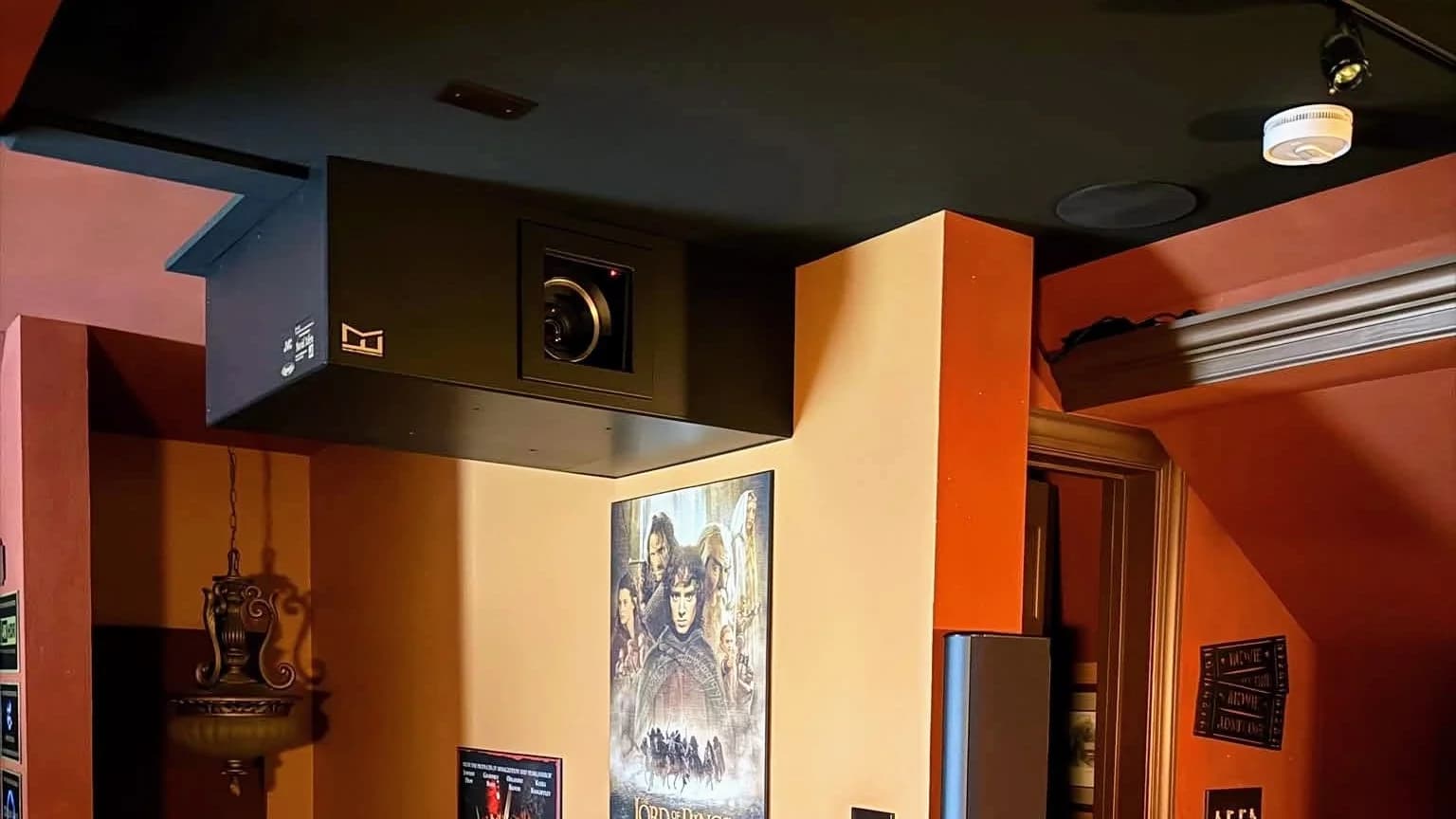
Custom Hushbox: Michael Franks Projector Enclosure
A returning client's JVC projector now sits in a custom hushbox from Michael Franks Design Co., the most complex design the company has built to date. It mounts to a side wall and needs ducting, so Michael designed a two-piece enclosure that mates together on site. That complexity carried into the install. We started by measuring the room for Michael's design. A month before install, we spent a day building a safe stair platform and moving an outlet and the conduit to match the box's position. The box then arrived with cosmetic damage from shipping, which we repaired with Michael's guidance. The install itself took a full weekend of problem-solving. Installed, nothing about it shows the work that went into it.
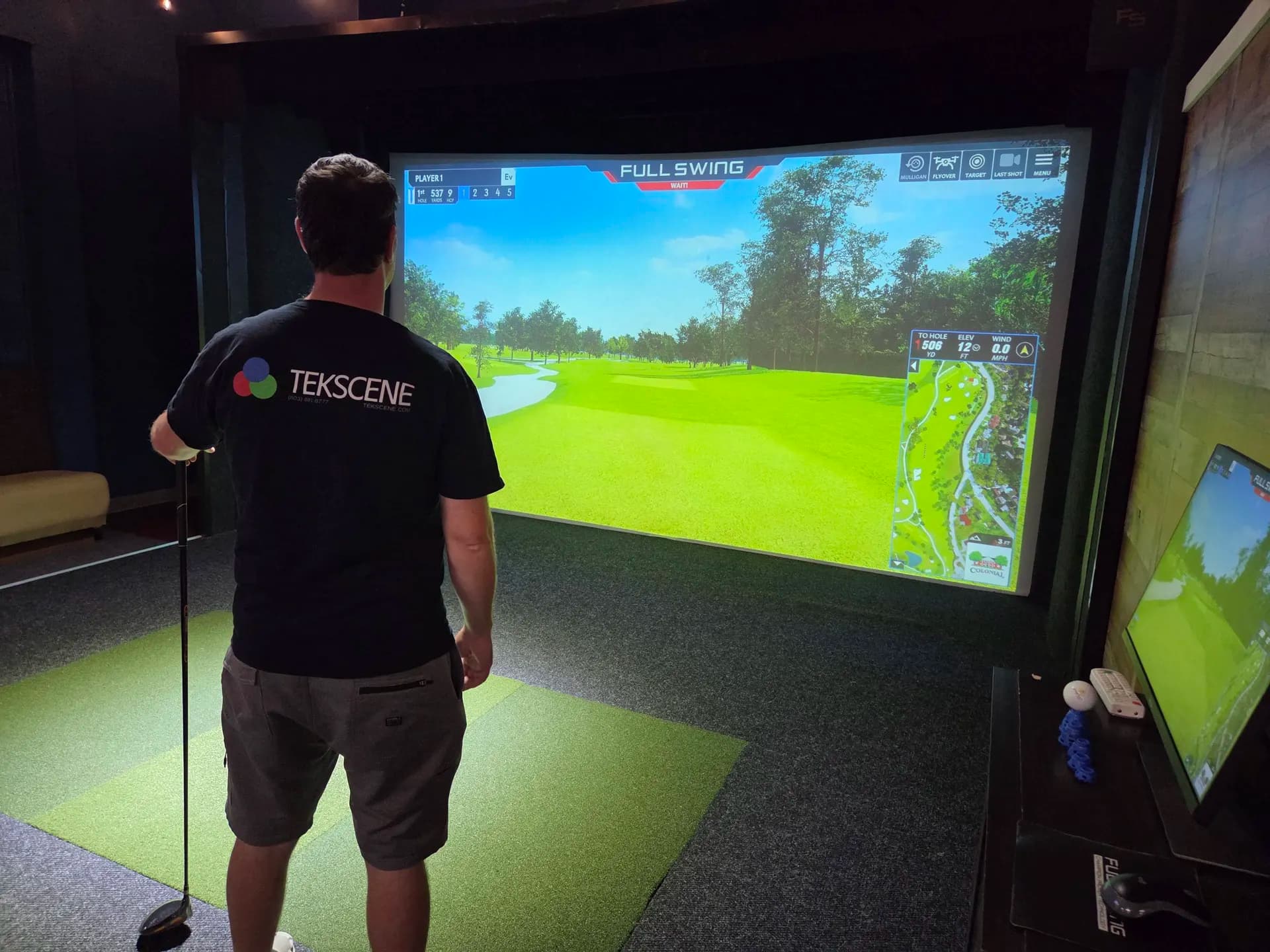
Golf Simulator Projectors — Repaired, Not Replaced
Not our build — a service call. The two Full Swing simulator bays at Anchor Lanes, a bowling center in Irmo, were designed, supplied and installed by others; we were called in because both projectors kept shutting themselves off mid-round, and everyone the manager had spoken to had told him to replace them. Both units were dropping into thermal protection. The air filters had already been cleaned, so the obvious cause was ruled out and the shutdowns carried on regardless — until opening the projectors up found the internal exhaust path in each packed with dust, leaving the heat nowhere to go however clean the intake was. We cleared both and put them back into service. No new hardware: a maintenance problem that had been mistaken for two failed projectors.
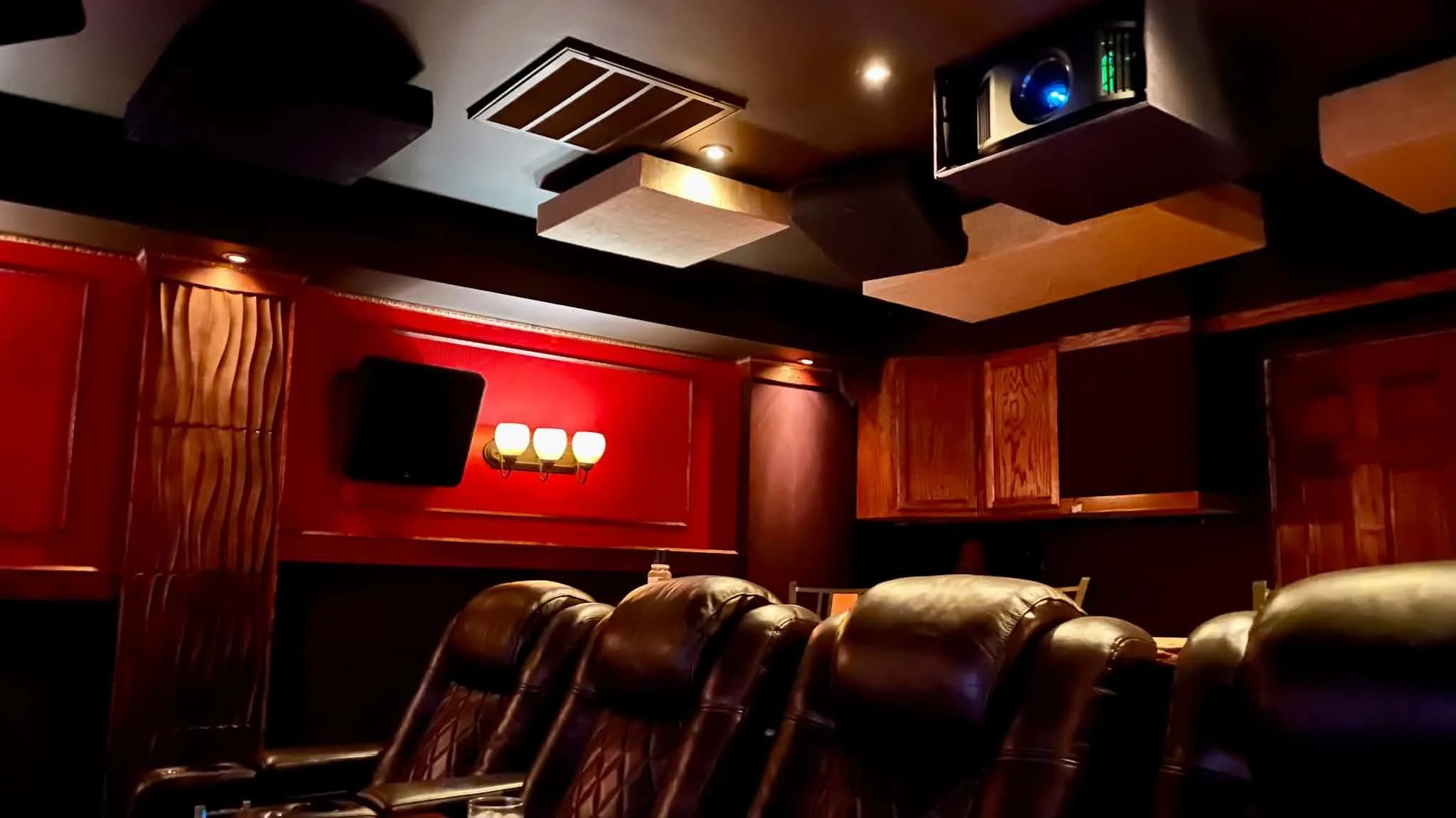
Projector Upgrade: Epson 5050 to JVC NZ7
A client with a beautifully custom-built dedicated theater — complete with a 165" wide (179" diagonal) 2.4:1 scope screen — had been running an Epson 5050 and was curious about upgrading to JVC's flagship D-ILA technology. His main concern: would the NZ7 deliver enough brightness at that screen size? We brought TekScene's personal demo unit, set it up alongside the existing Epson, and let the room do the talking — the JVC measured nearly 4× brighter on his screen. He purchased the demo unit on the spot, and the NZ7 now lives permanently in "Twinseltown."
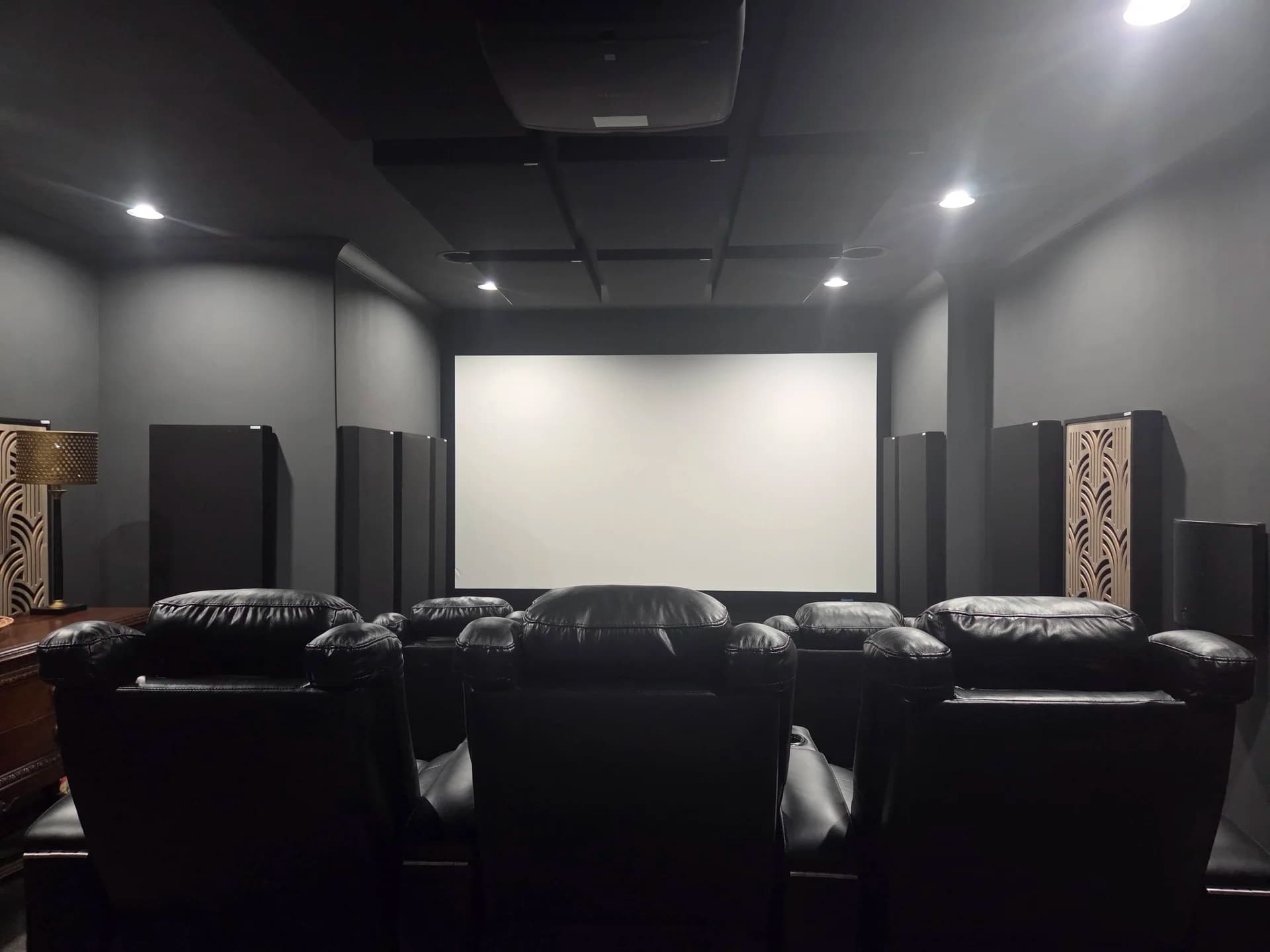
Dedicated Theater Upgrade
A dedicated home theater received a full front-end overhaul: an Epson QB1000 projector, a Stewart Filmscreen StudioTek 130 G4 UltraPerf acoustically transparent screen, a new A/V receiver running Dirac Live Active Room Treatment, and a madVR Envy Core MK2 for reference-grade tone mapping and HDR precision. We designed and supplied the acoustic treatment to suit the room, which the owner installed himself. The speakers and subwoofers are his own, as were the seating, riser and carpet — we advised on those as the room came together. The result turns an already capable room into a true high-performance cinema.
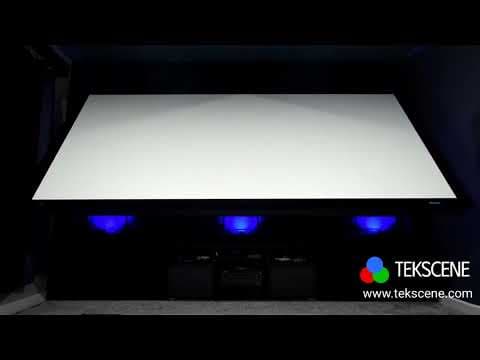
Demo Theater Room
JVC DLA-NZ7 4K projector on a 150" Stewart screen with 7.2.4 Dolby Atmos audio, KEF speakers, dual subwoofers, tactile transducers, and full smart automation.
Free Screen Size Comparator
Visualize different screen sizes at your actual seating distance before committing to anything.
Brands We Work With
A selection of brands we commonly work with — not an exhaustive list. If you have a brand or model in mind, ask us. See all brands




Frequently Asked Questions
Should I get a projector, or just a very large TV?
It comes down to the room and what you watch in it far more than to the hardware.
A projector wins on scale. Even a very large television stops around the size where a projected image is only getting started, and past a point the difference is not a bigger picture but a different experience — the image fills enough of your field of view that you stop looking at a screen. How far you sit decides how big that needs to be.
A television wins on light. It makes its own, so it stays punchy at midday with the blinds open and nothing about the room has to change. A projector reflects light off a surface, which is why what the room does with light matters as much as the projector does.
The honest split: if the room can be darkened, or can take an ambient light rejecting screen and some light control, a projector gives you something a television cannot. If it is a bright multi-purpose space that has to work at all hours, a large television is often the better answer — and we will tell you so.
How bright does the projector need to be?
There is no single lumen number, because brightness is a relationship between the projector, the screen and the room rather than a property of the projector alone.
The screen is the part people miss. Light spreads over area, so going from a 100-inch image to a 120-inch one spreads the same lumens over roughly 45% more surface — the picture gets bigger and dimmer at the same time. Screen gain pushes some of that back toward the seats, at the cost of how far off-center you can sit before it dims.
Then the room. In a properly dark room surprisingly little is needed, and too much is its own problem: a searingly bright image in a black room is fatiguing and flattens the sense of contrast. In a room with light you need enough output to overcome what is landing on the screen, which is why light control and screen material do as much of the work as lumens do.
Tell us the screen size you have in mind, the seating distance and when you actually watch, and the brightness requirement falls out of that instead of being guessed.
Why doesn't HDR look as punchy on a projector as it does on a TV?
Because HDR is mastered for light levels no projector can reach, and that is physics rather than a shortcoming of any particular model.
HDR content is graded at 1,000 to 4,000 nits, against a reference of about 100 nits for standard dynamic range. A television makes its own light and can chase those numbers. A projector spreads a fixed lumen output across the whole screen, so the bigger the image, the fewer nits land on any part of it. On a home screen, a projector operates an order of magnitude below the level the content was graded at.
Our working target is at least 100 nits on the screen for HDR, and more is better — how much more depends on the room, how well the light is controlled, and how far you take the projector. Note what that means: a good HDR projector is delivering roughly what SDR reference calls for. The HDR benefit does not come from raw brightness. It comes from tone mapping preserving the relationships between highlights and shadows, plus the wider color volume.
Which is why tone mapping is not a feature to shop for — it is mandatory. Every HDR projector does it, because every HDR projector has to compress the content's range into what it can actually produce. The only question is how well, and that is where dynamic tone mapping and a dedicated video processor earn their place.
The practical consequence is a trade people are rarely told about: going bigger costs you HDR headroom. Screen gain and material buy some of it back, and light control buys more. We size the screen against the brightness you will actually have rather than the other way round.
Do projectors still need lamp replacements?
Not in current home cinema projectors. The lineups we install have moved to laser light engines, typically rated around 20,000 hours — nothing to buy, and none of the gradual dimming and color drift a bulb brought with age. That stability is also why a calibration on a laser projector holds rather than wandering out over a year.
What does need attention is the air filter, and the interval varies a great deal by manufacturer — see the JVC and Epson pages for their own recommendations. The filter keeps the cooling airflow clean rather than protecting the optics: the light path is sealed, so dust does not reach the panels or show up on screen. A clogged filter is a heat problem, and heat shortens component life and can trigger a protective shutdown.
The practical consequence is a mounting decision. We factor filter access into where the projector goes, because a filter you cannot reach is a filter that never gets cleaned.
Does a new projector need calibration?
It needs work, and two different things get called by the same name.
Configuration and optimization come with every installation we do. Lens shift, zoom and focus are dialed in for your exact throw and screen, picture modes are set for your room rather than a showroom, HDR handling is matched to your screen size and gain, and the signal chain is sorted out end to end. A capable projector left on factory defaults gives up a visible amount of what it can do, so we do not hand one over that way.
Full instrumented calibration — measuring your specific projector and screen, and correcting grayscale and color to a reference standard — is a separate service, priced by scope, and there is more than one way to approach it including a calibrator working on site. Tell us how far you want to take the picture and we will lay out the options.
How much does ambient light matter — do I need blackout curtains or an ambient light rejecting screen?
Light matters more than anything else on a specification sheet, and the two answers are not alternatives — they work on different parts of the problem.
An ambient light rejecting material is engineered to reflect light arriving from above and to the sides — lamps, windows, ceiling fixtures — away from your eyes, while returning the projector's light along the axis you are sitting on. That is why an ALR screen holds contrast in a room where a white screen would look washed out and gray.
What it cannot do is reject light arriving from the same direction as the projector, or undo light that lands on the walls and ceiling and bounces back onto the screen. A dark ceiling and dark side walls do more for contrast in a bright room than most people expect, and they make an ALR screen work better rather than making it unnecessary.
So treat ALR as what makes a room with light genuinely watchable, not as a substitute for controlling the light you can control. In a room you can make properly dark, you are usually better served by a reference white material and no compromise at all.
How do I choose a screen material?
Start with the light in the room, because that decides more than anything else.
In a room you can make properly dark, a reference white material is the right answer: neutral color, even brightness across the seats, and nothing being done to the image that has to be undone later. In a room with windows, lamps or pale walls, an ambient light rejecting material earns its keep.
After that it comes down to gain, viewing angle, and whether the screen needs to pass sound to speakers behind it. Higher gain buys brightness at the cost of how far off-center you can sit before the image dims, so a wide seating layout wants a generous half-gain angle more than it wants a big gain number. An acoustically transparent material lets you put the center channel behind the screen where it belongs, at some cost in light.
We carry both Screen Innovations and Stewart Filmscreen and have no reason to push you either way. Tell us the room and what you watch in it, and we will narrow it to two or three materials.
How do I know what screen size is right for my room?
Bigger is not automatically better, and the number that matters is not the diagonal — it is how much of your field of view the image fills from where you actually sit. The same 120-inch screen is immersive at twelve feet and uncomfortable at seven.
The constraint most people hit is vertical, not horizontal. Once you account for the seated eye line, how high the bottom of the image needs to sit, and the ceiling, you usually run out of wall height before you run out of width — and because that ceiling is a height limit, it lands differently depending on aspect ratio. A 2.35:1 screen can be considerably wider than a 16:9 screen that shares the same height.
Our screen size comparator draws the sizes against each other at your real seating distance, which settles the question faster than any rule of thumb. We confirm it against the room on a site visit, since throw distance, seating layout and where the light comes from all feed back into it.
Fixed-frame, motorized, or ambient light rejecting — how do I pick?
These are two separate decisions that often get run together. Fixed-frame and motorized describe the format — how the screen is built and whether it disappears when you are not using it. Ambient light rejecting describes the material. You choose one of each.
On format: a fixed frame is tensioned permanently and stays flatter than anything retractable, which is why dedicated rooms use it. A motorized screen earns its place when the wall has another job — a fireplace, a window, a television — and you want the screen gone the rest of the time. The tradeoff is mechanism, and a retractable surface that is rarely fully flat.
On material, see how to choose a screen material above — that is the decision light drives.
Ready for a Projector & Screen Installation?
Tell us about your space and we'll help you design the right solution — from projector selection through final setup. Serving homeowners across the Columbia, SC metro area.